How to translate your guidebook into multiple languages
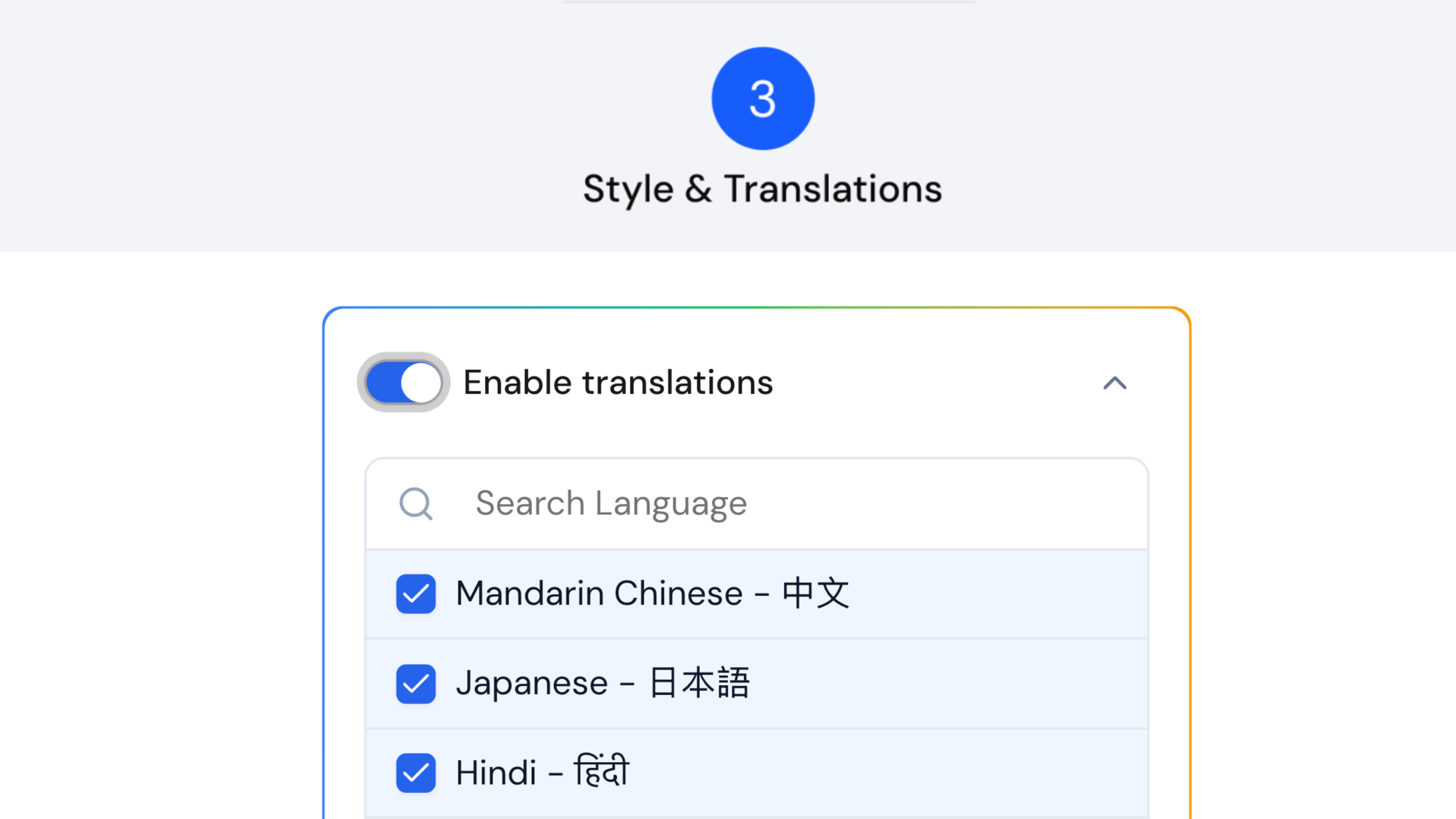
Quick answer: Open your guidebook in edit mode, go to the Style & Translations Step, and switch on the Enable translations toggle. Choose your languages, then publish on the Global tier to activate the translated versions for your guests.
Hosting international guests? InvoGuide’s translation feature is a simple way to welcome them in their own language. It’s a paid feature, and it unlocks multiple languages for your guidebook.
Watch the Quick Tip
How do I turn on translations?
- Open your guidebook in edit mode and go to the Style & Translations Step.
- Find the toggle labelled Enable translations and switch it on. The available languages appear.
- To remove any you don’t need, click the cross icon next to each one.
- Or click the dropdown arrow next to Enable translations for the full list, then check or uncheck languages from there.
- Once you’re happy with your selection, publish your guidebook on the Global tier. That’s what activates the translated versions for your guests.
Why isn’t the preview showing translations?
The preview only shows in English, so don’t worry if you don’t see translations there. Give it a few minutes, then check your published guidebook. The translated versions will be ready for your guests.
Frequently asked questions
Is the translation feature free? No. It’s a paid feature that unlocks multiple languages for your guidebook.
How do I remove a language I don’t want? Click the cross icon next to each language you’d like to remove. You can also use the dropdown arrow next to Enable translations to check or uncheck languages from the full list.
What activates the translated versions for guests? Publishing your guidebook on the Global tier.
Why does the preview only show English? The preview only shows in English. Give it a few minutes after publishing, then check your guidebook and the translated versions will be ready for your guests.
Create yours today at invo.guide. Unlimited free guidebooks, forever.

Pula Panamgama
Co-Founder & CEO
Pula is the Co-Founder and CEO of InvoGuide, leading the company's vision to make hospitality profitable and sustainable through digital innovation.
Connect on LinkedIn