Move and Reorder Unlocked
What’s New on InvoGuide Issue #3
You can now move and reorder content with a simple drag-and-drop.
Whether you’re fine-tuning the layout, improving flow, or cleaning up your guidebook structure — these updates make editing faster, easier, and more intuitive.
Quick Highlights
New features available
- Move element(s) to another section
- Move section(s) to another group
- Reorder elements within a section
- Reorder sections within a group
Features coming out next
- Allow guests to download a PDF for offline access
- Improving guidebook availability
- Duplicate button for elements and sections
- “Deselect all” button in the edit flow
- Quick creation flow for guidebooks
What’s New & Improved
Move element(s) to another section
Created something in the wrong section? Now you can easily move it to where it belongs.
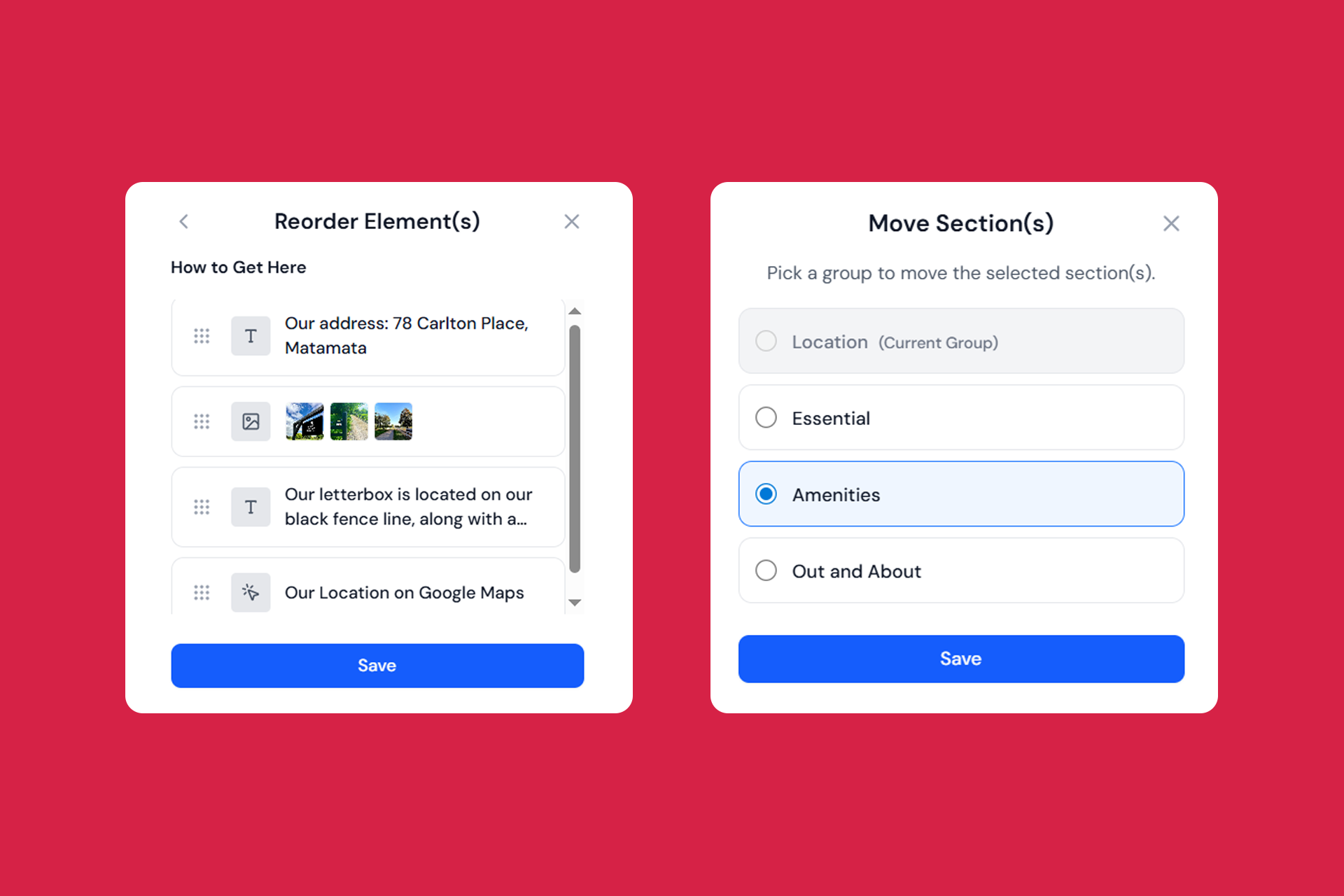
We’ve added a new Move button to the action bar that works with all three element types: text boxes, images, and buttons.
Moving elements is simple:
- Select the elements you want to move
- Click the move button in the action bar
- Choose your destination group and section
- Click Save to complete the action
The element(s) will appear at the bottom of its new section.
Move section(s) to another group
Want to reorganise your sections across different groups? You can now move one or multiple sections at once.
- Select the section (or sections) you want to relocate
- Click the Move button in the action ribbon
- Choose the destination group from the popup
- Click save to save the action
Your section(s) will appear at the bottom of its new group.
Reorder elements within a section
Created your elements in the wrong order? No worries — you can now drag and drop to reorder them. Easy as! 🙌
We’ve added a new Reorder button to the action bar that lets you quickly rearrange elements within any section.
- Click the Reorder button in the action ribbon (no selections required)
- Select the section you want to reorganise
- Drag and drop the elements into your preferred order
- Click Save when you’re done
Reorder sections within a group
You’ve always been able to reorder sections using the drag handles in the creation flow.
Now, for consistency, you can also reorder them through the popup that appears when you click the Reorder button.
Coming Soon
We’re cooking up several exciting features to make InvoGuide even better:
- PDF download for guests – Guests will be able to download a PDF version of your guidebook directly from the published page. This is perfect for remote properties where internet connectivity can be unreliable.
- Improved guidebook availability – We’re ensuring your published guidebooks remain accessible even when the edit portal is down for maintenance. As part of this update, we’re considering shorter, cleaner links:
https://invo.guide/your-property-nameinstead ofhttps://app.invoguide.com/g/your-property-name. That’s 9 fewer characters (47% shorter!). We’ll discuss this with you before rolling it out, and your existing links will continue to work for guests. - Duplicate button for elements and sections – Quickly copy elements and sections without recreating them from scratch.
- “Deselect all” button in the edit flow – With multiple checkboxes in the edit flow, it’s easy to lose track of what you’ve selected. A deselect button will help you start fresh when needed.
- Quick creation flow for guidebooks – We’ve heard that the current edit flow can feel overwhelming for new hosts. We’re developing a simpler onboarding form to make creating your first guidebook faster and more intuitive.
In case you missed the previous issue
New features we released earlier
- Unlock translations on our higher tier, Elite
- Crop and reorder your images
- Edit your custom URLs for your guidebooks
Click here to read Issue #2 on our blog.
Aaand that’s a wrap!
As always, we’d love to hear from you — get in touch if you’ve got feedback or ideas to share.
Thanks for building with InvoGuide! 💚

Pula Panamgama
Co-Founder & CEO
Pula is the Co-Founder and CEO of InvoGuide, leading the company's vision to make hospitality profitable and sustainable through digital innovation.
Connect on LinkedIn