How to share your guidebook link in Airbnb quick replies
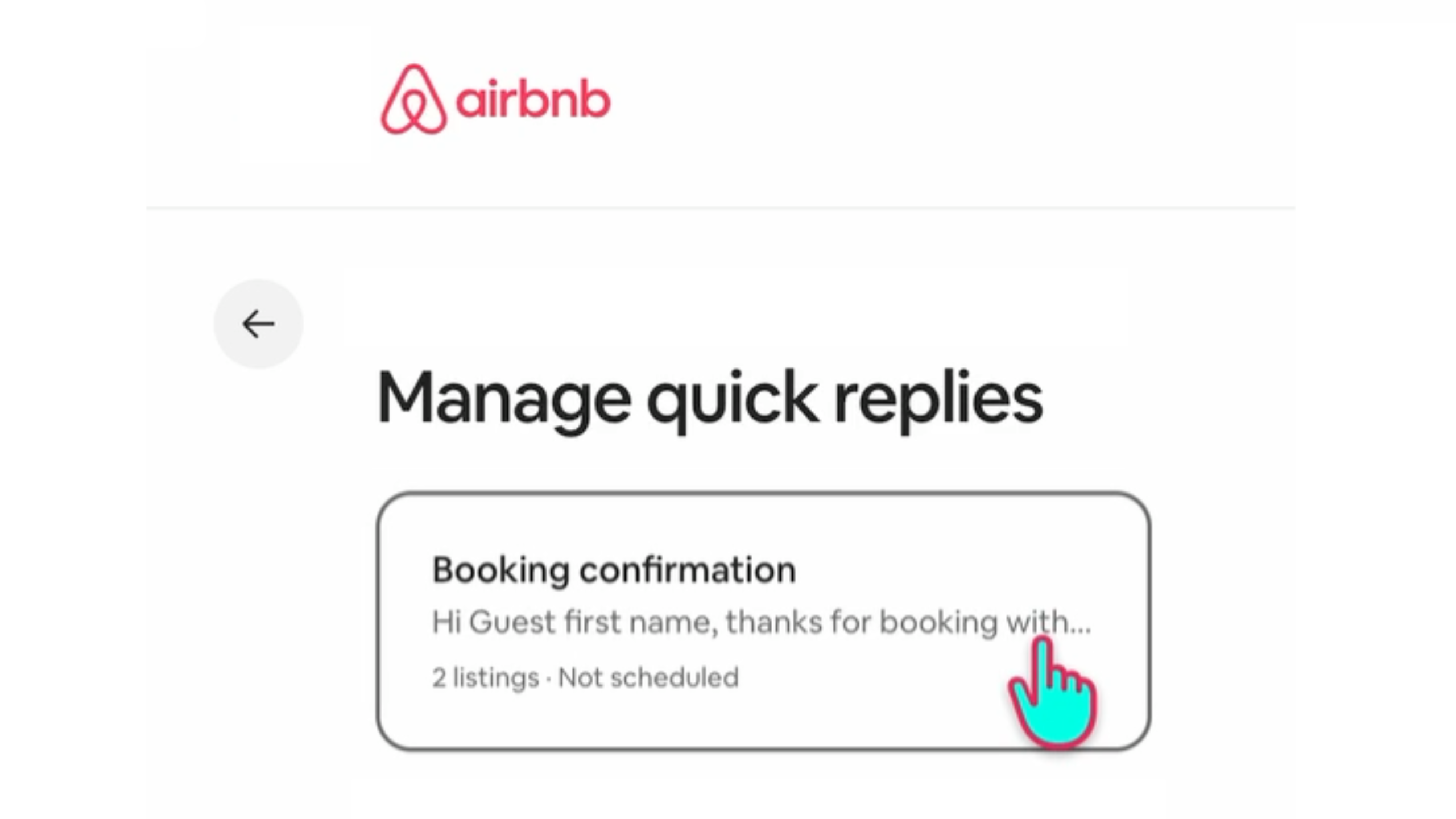
Quick answer: Make sure your guidebook is in Published status, then copy your link from the Success screen or the Share button on your dashboard. In Airbnb, go to your messages, open Settings, click “Manage quick replies”, pick a template, paste your link, set a schedule and click Save.
Sharing your guidebook is the whole point of building one. Once your link is set up in your Airbnb quick replies, every guest gets it automatically, without you copying and pasting for each booking.
Watch the Quick Tip
Where do I find my share link?
First, your guidebook needs to be in Published status. If you haven’t published yet, this article walks you through it.
Once it’s published, you’ll find your unique link on the Success screen. You can also get it any time from the Share button on each guidebook on your dashboard.
Click the icon to copy the link. Want to check it first? Open it in a new tab to see exactly what your guests will see.
How do I add the link to Airbnb quick replies?
- In your Airbnb profile, go to your messages.
- Click the Settings icon, then “Manage quick replies”.
- Choose your message template. Sending the link right after a guest books works well, while they’re most excited about the trip.
- Edit the template and paste your link.
- Set the schedule to suit you, then click Save.
That’s it. Your link now goes out to your guests through your chosen quick reply.
Frequently asked questions
Does my guidebook need to be published before I can share it? Yes. Your guidebook needs to be in Published status for a share link to be created.
Where can I find my share link? On the Success screen once you’ve published, or from the Share button on each guidebook on your dashboard.
How do I check what my guest will see? Open the link in a new tab to see it exactly as your guests would.
When should I send the link to guests? Sending it as soon as a guest books works well, since that’s when they’re most interested in the trip.
Create yours today at invo.guide. Unlimited free guidebooks, forever.

Pula Panamgama
Co-Founder & CEO
Pula is the Co-Founder and CEO of InvoGuide, leading the company's vision to make hospitality profitable and sustainable through digital innovation.
Connect on LinkedIn