How to Create a Free Digital Guest Guidebook: A Step-by-Step Guide
Late-night messages about Wi-Fi passwords. The same check-in question from every new guest. Calls you’re answering from memory, every single time.
A digital guest guidebook solves all of this — and it doesn’t need to cost you anything.
This article covers everything: what a digital guidebook is, why it works better than a printed welcome book or PDF, and how to create, build, and share one for your property — step by step.
What is a Digital Guidebook?
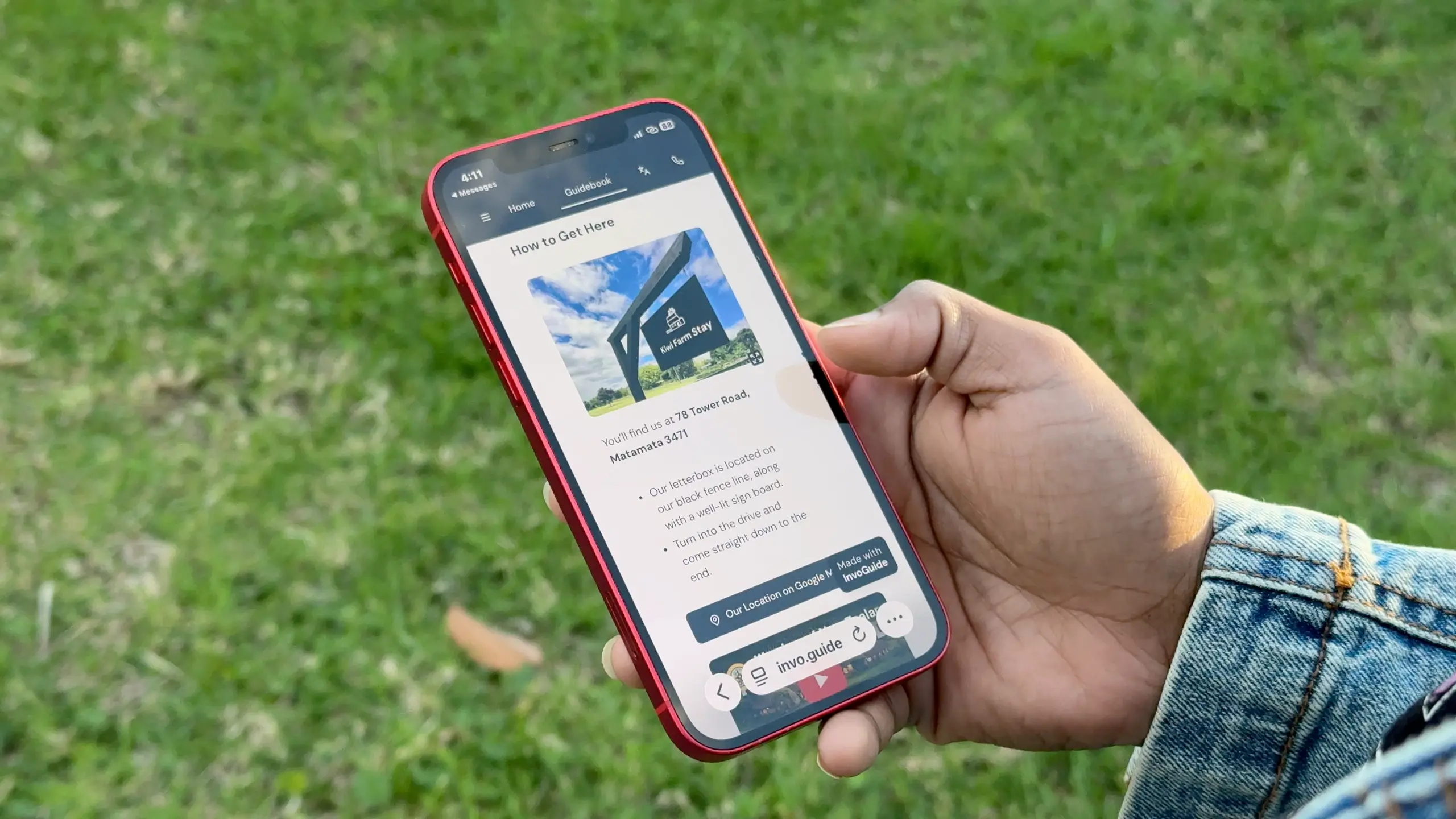
A digital guidebook is a webpage that can be accessed by a link or a QR code, and includes all the details your guests need to know for their stay. It can replace your printed welcome book, the PDFs and the long list of instructions you send to your guests as a message that they hardly ever read. No downloading, no zooming in, no squinting. It opens on their phone and reads the way it’s meant to.
Hosts typically share it as a link in their pre-arrival message, or as a QR code placed somewhere visible at the property. Guests can open it before they arrive, refer back to it during their stay, and find everything from check-in instructions and Wi-Fi details to house rules and local recommendations — all in one place.
Any update you make goes live instantly. A changed Wi-Fi password, a restaurant that’s closed down, a new house rule — your guests always have the current version without you sending anything again.
Step 1: Gather All the Information You’ll Need
Start by putting yourself in your guests’ shoes. Think through the guest journey from the moment their booking is confirmed to the moment they check out. What will they need to find or figure out along the way? The answers to that question can be the foundation of your guidebook.
Most of what you need to include falls into a handful of categories: the basics guests always ask for (check-in details, Wi-Fi, parking), how to use what you provide (appliances, heating, TV), the rules they need to know, local recommendations worth sharing, and the small quirks that are unique to your place. You probably already know most of this — it’s the information you’re currently sending in messages or answering over the phone.
Don’t wait until you have everything perfect. One of the best things about a digital guidebook is that you can add and update as you go. Get the essentials in first and build from there.
Not sure what to include? Our complete guest guidebook checklist covers every section worth adding, with examples for each — so you’re not starting from a blank page.
Step 2: Plan Your Sections and Structure
Your guests are not going to read your guidebook cover to cover. They’ll scan it when they arrive, search for something specific mid-stay, and ignore the rest. That means how you structure the information matters just as much as the information itself. Group things logically, give each section a clear label, and make sure what they’re most likely to need is easy to find without scrolling past everything else.
A digital guidebook makes this easier than a printed one — most platforms give you a menu or navigation bar, so guests can jump straight to the section they need rather than hunting through pages. Lean on that. Keep section names short and obvious. When in doubt, name the section after what the guest is looking for, not what you want to tell them.
Step 3: Choose the Right Platform
How you build your guidebook shapes how easy it is to update, how it looks on a guest’s phone, and how much time you spend on it every time something changes. It’s worth getting this decision right before you start adding content.
The main options most hosts consider are printed welcome books, PDF documents, and dedicated digital guidebook platforms. Printed books look professional on a shelf but become outdated the moment something changes — and they can’t be shared before guests arrive. PDFs are easier to update but are clunky on mobile and usually end up ignored in an inbox.
A dedicated digital guidebook platform gives you something guests can open via a link or QR code, on any device, before they even arrive. Updates go live instantly. No reprints, no new attachments, no chasing down the old version.
Within digital platforms, the differences come down to how many guidebooks you can create, whether translation is supported, how much customisation is available, and what it costs. Some charge per property, others offer a flat subscription, and some — including InvoGuide — offer unlimited guidebooks completely free.
Step 4: Add Your Visuals
Visuals are one of the biggest advantages of a digital guidebook. They are worth a million words and understood easily no matter the language your guests speak. A photo of the lockbox is clearer than three sentences about where to find it. A short video of how to work the coffee machine saves a phone call at 8am. A map link to the best nearby supermarket is more useful than the name of the street.
Think in three types: images for anything guests need to recognise or locate, videos for anything with a process they might get wrong, and links for anywhere you want them to go — restaurants, attractions, your direct booking page, or anything they’d otherwise have to search for themselves. The rule for all three is the same: only add a visual if it adds context that words alone don’t. Your guests have already seen your listing photos, so save the space for things that actually help them during the stay.
Step 5: Publish and Share With Your Guests
A guidebook nobody sees doesn’t help anyone. Once yours is ready, sharing it the right way is what turns it from a document into something guests actually use.
Most hosts share their guidebook in two ways. The first is a link sent in the pre-arrival message — ideally a few days before check-in, when guests are starting to think about the trip and are most likely to read it. This is when curiosity is highest and the information is most useful to them. The second is a QR code placed somewhere visible at the property — near the entrance, on the kitchen bench, or wherever guests are most likely to reach for their phone. Both methods cover different moments in the stay, so using them together works better than choosing one.
The goal is to get the guidebook in front of guests before they arrive. Guests who come prepared ask fewer questions, settle in faster, and tend to enjoy their stay more. That usually shows up in their review.
Keeping It Updated
Creating your guidebook is the main work. Keeping it current is much lighter — and with a digital guidebook, most updates take less than a minute.
When something changes at your property, update the guidebook the same way you’d update anything else in the space. A new Wi-Fi password, a restaurant that’s closed, a change to your check-out time — make the edit and it goes live immediately. Guests who open the link that day see the current version, without you sending anything again. Think of it as part of the regular upkeep of your property rather than a separate task, and it never becomes a burden.
The only time it takes longer is when you’re doing a bigger refresh — new photos, a restructured section, or adding content ahead of a busy season. Even then, you’re working with a live document rather than starting from scratch.
Frequently Asked Questions
What should I include in a digital guest guidebook?
At a minimum, your guidebook should cover check-in and check-out instructions, Wi-Fi details, house rules, how to use key appliances, emergency contacts, and local recommendations. Beyond the essentials, anything guests repeatedly ask you about is worth adding — if you’ve answered it more than twice in messages, it belongs in the guidebook.
Is a digital guidebook better than a printed welcome book?
For most hosts, yes. A digital guidebook can be shared before guests arrive, looks good on any phone without zooming or scrolling sideways, and updates instantly when something changes. A printed book can’t be sent ahead of time, goes out of date whenever details change, and needs to be reprinted each time. The only advantage of print is that it doesn’t require a device to access — which is why some hosts use both.
Can I create a digital guest guidebook for free?
Yes. Several platforms offer free plans, including InvoGuide, which lets you create unlimited digital guidebooks at no cost — with no limit on content, sections, or guest views. Paid plans are available for hosts who want additional features like automatic translation or a custom guidebook URL, but the free tier is fully functional for most hosts.
How do I share a digital guidebook with Airbnb guests?
The most common approach is to include the guidebook link in your pre-arrival message, sent a few days before check-in. You can also generate a QR code and place it somewhere visible at the property — near the front door or on the kitchen bench works well.
How long should a guest guidebook be?
There’s no set length — it depends on your property and your guests’ needs. The goal is to cover what guests actually need without overwhelming them. A good rule of thumb: if a guest would reasonably ask you about it, include it. If you’re adding content just to make the guidebook feel thorough, leave it out. Most hosts find that a clear, well-structured guidebook of ten to fifteen sections covers everything without becoming a chore to read.
Can I use one digital guidebook for multiple properties?
You can create separate guidebooks for each property — which is the better approach, since each property has different check-in details, appliances, house rules, and local recommendations. Some platforms charge per guidebook or per property. InvoGuide lets you create unlimited guidebooks across all your properties on the free plan, so there’s no extra cost as you scale.
Ready to Build Yours?
A digital guest guidebook is one of the most effective things you can put in place as a host — not because it’s complicated, but because it quietly solves problems before they happen. Fewer messages, smoother check-ins, and guests who arrive already feeling looked after.
InvoGuide lets you create unlimited digital guidebooks for free, with no limit on content, sections, or guest views. Create your free digital guidebook here.

Yasasi Jayasinghe
Co-Founder, COO & CFO
Yasasi is the Co-Founder, COO, and CFO of InvoGuide, overseeing operations and finance to drive growth in the hospitality technology space.
Connect on LinkedIn