
What’s New on InvoGuide Issue #4
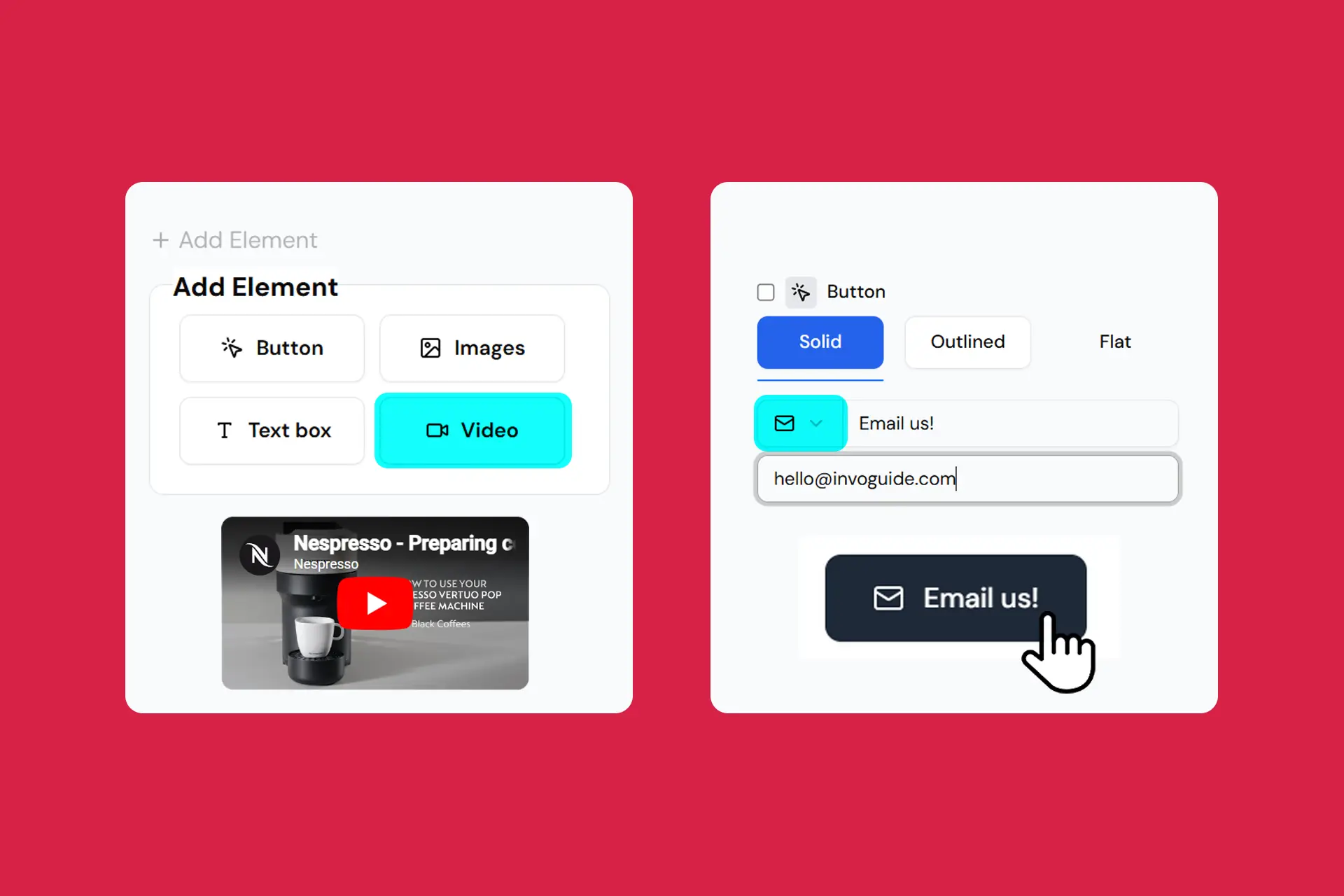
This update adds YouTube video embeds, email as a contact method, and a faster-loading language icon.
We also rolled out time-saving tools like section duplication and an improved editing preview.
Your guidebook just got more engaging for guests and easier to manage.
Quick Highlights
New features available
- Video embed element (YouTube links)
- Email available as a contact method
- Language button appears instantly as an icon
- Duplicating sections
- Automatic page switching in preview
- “Deselect all” button
- Highlighting the selected tab on published guidebooks
Features coming out next
- Improved availability
- Near-instant loading time
- Shorter URLs
What’s New & Improved
Video embed element (YouTube links)
If a picture is worth a thousand words, a video must be worth a million.
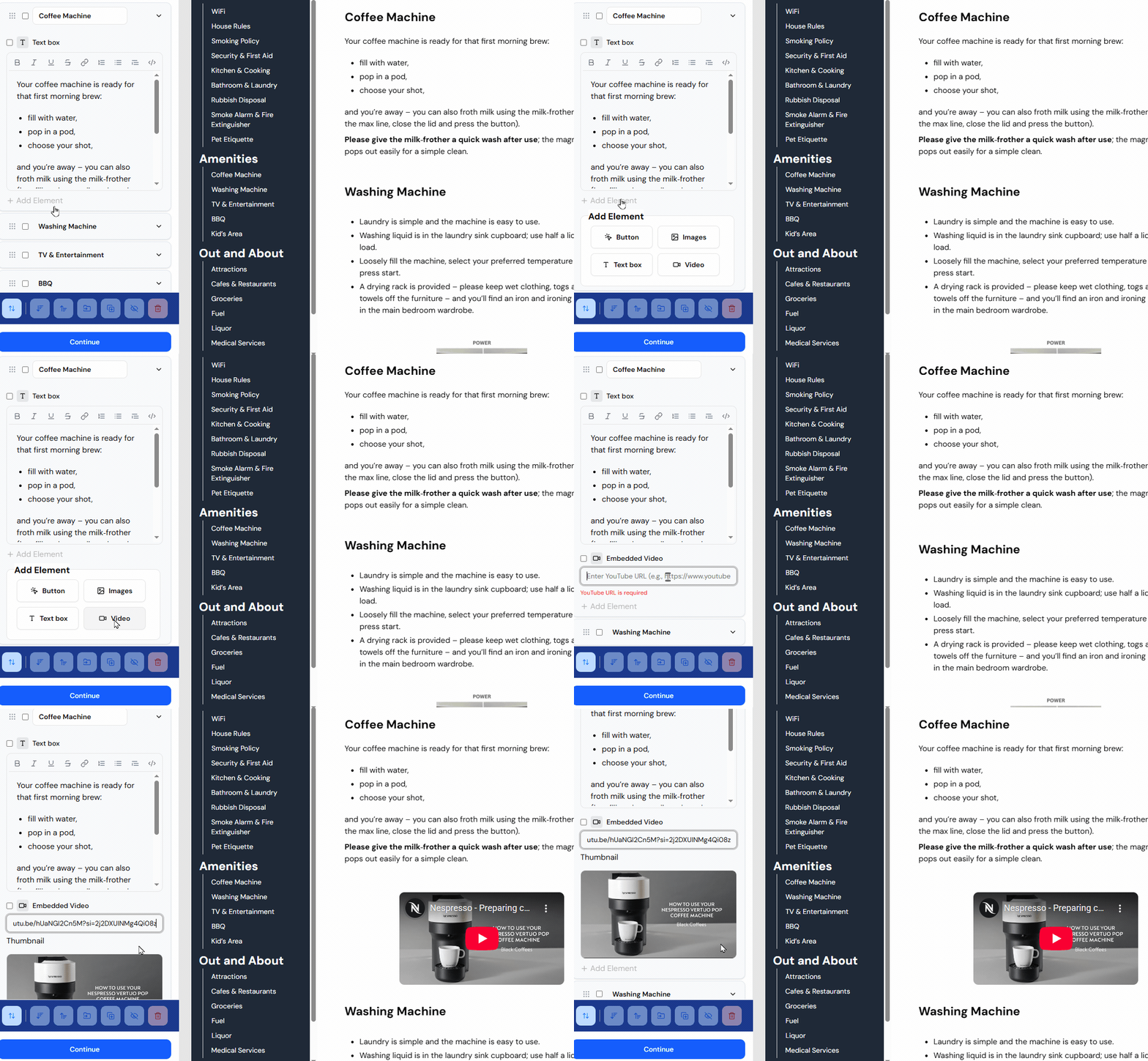
You can now embed YouTube videos directly in your guidebook, making it even easier to show guests exactly what they need to know.
Click “+ Add Element” within any section, Select “Video” and paste a YouTube video link (eg: https://youtu.be/hUaNGI2Cn5M?si=2j2DXUINMg4Qi08z).
We think videos are best suited for:
- Property walkthroughs
- Appliance instructions
- Promo videos for attractions
Email available as a contact method
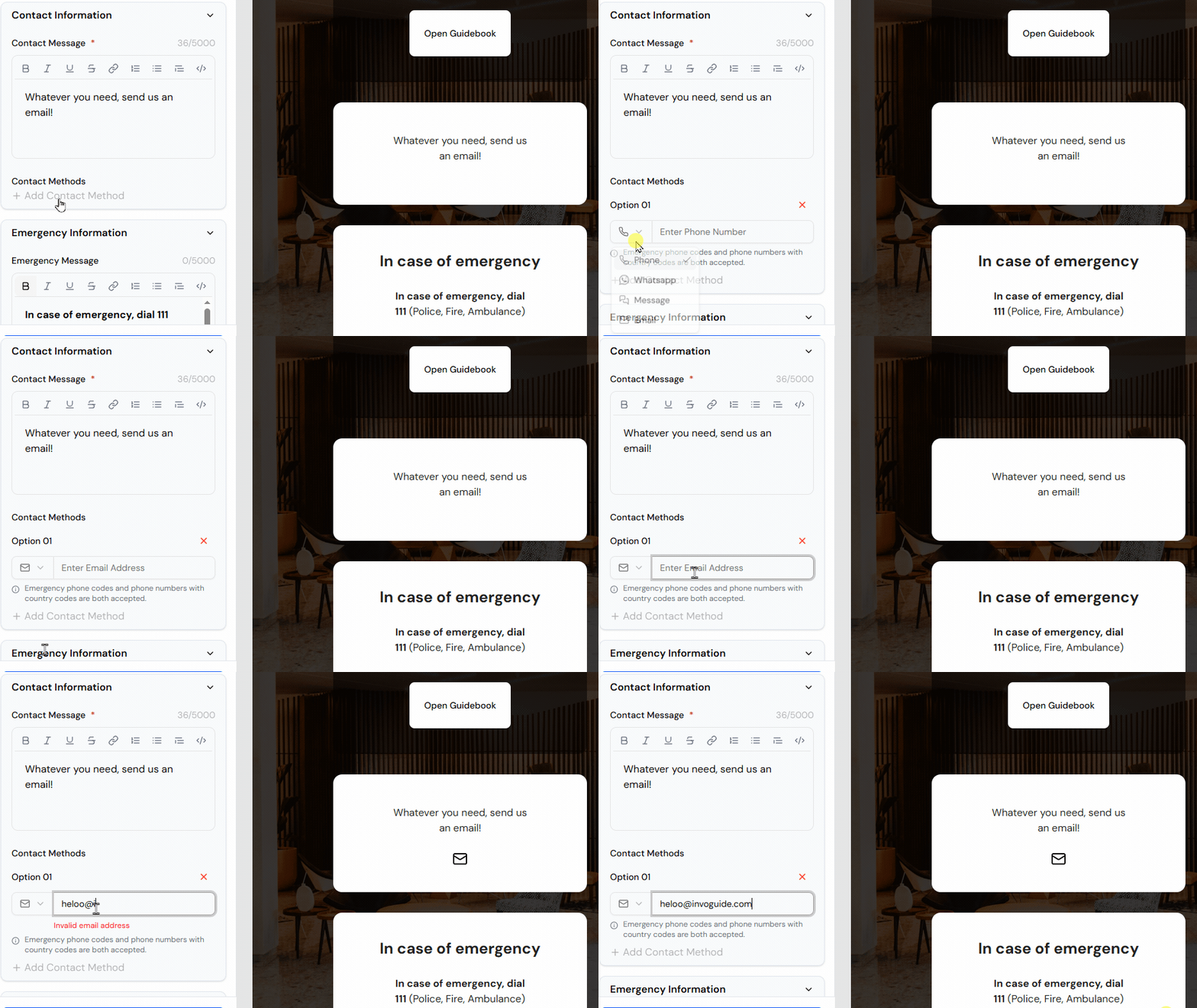
Want guests to contact you via email? Now you can!
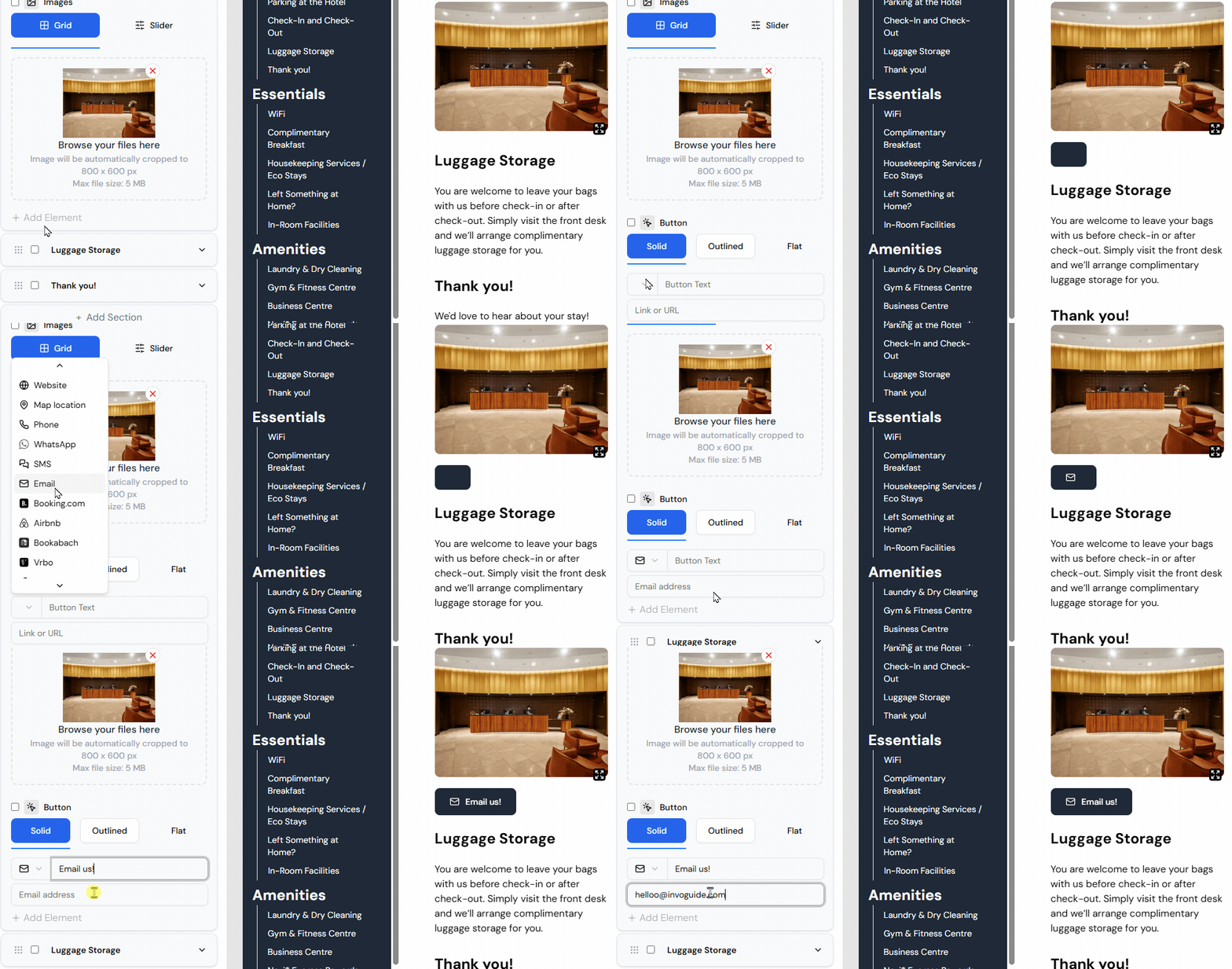
Email is available in two places:
- As a “Contact Method” in the Contact Information group on the home page.
- With any button you add from a section on the guidebook page.
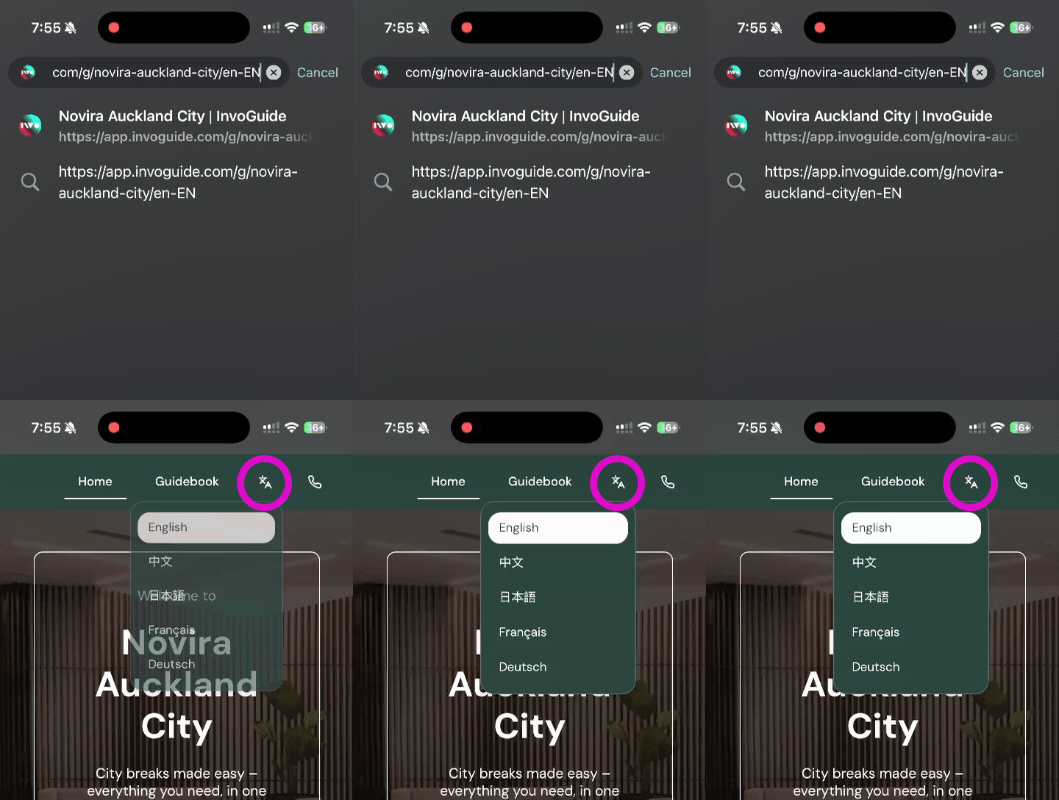
Language button appears instantly as an icon
Previously, the language selector displayed the selected language as text and took a moment to load.
It now appears instantly as an icon, making it immediately recognisable to guests, regardless of their native language.
Duplicating sections
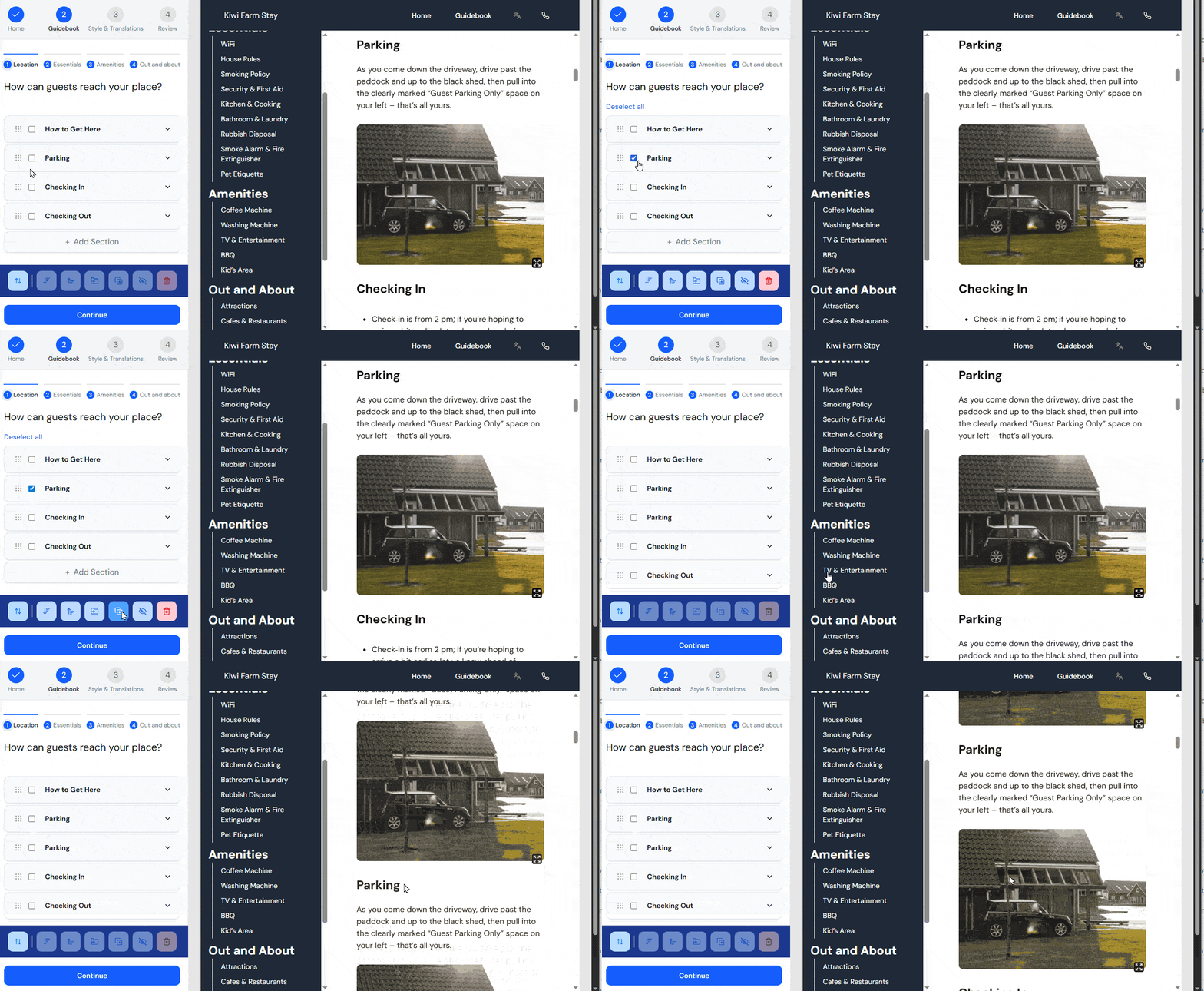
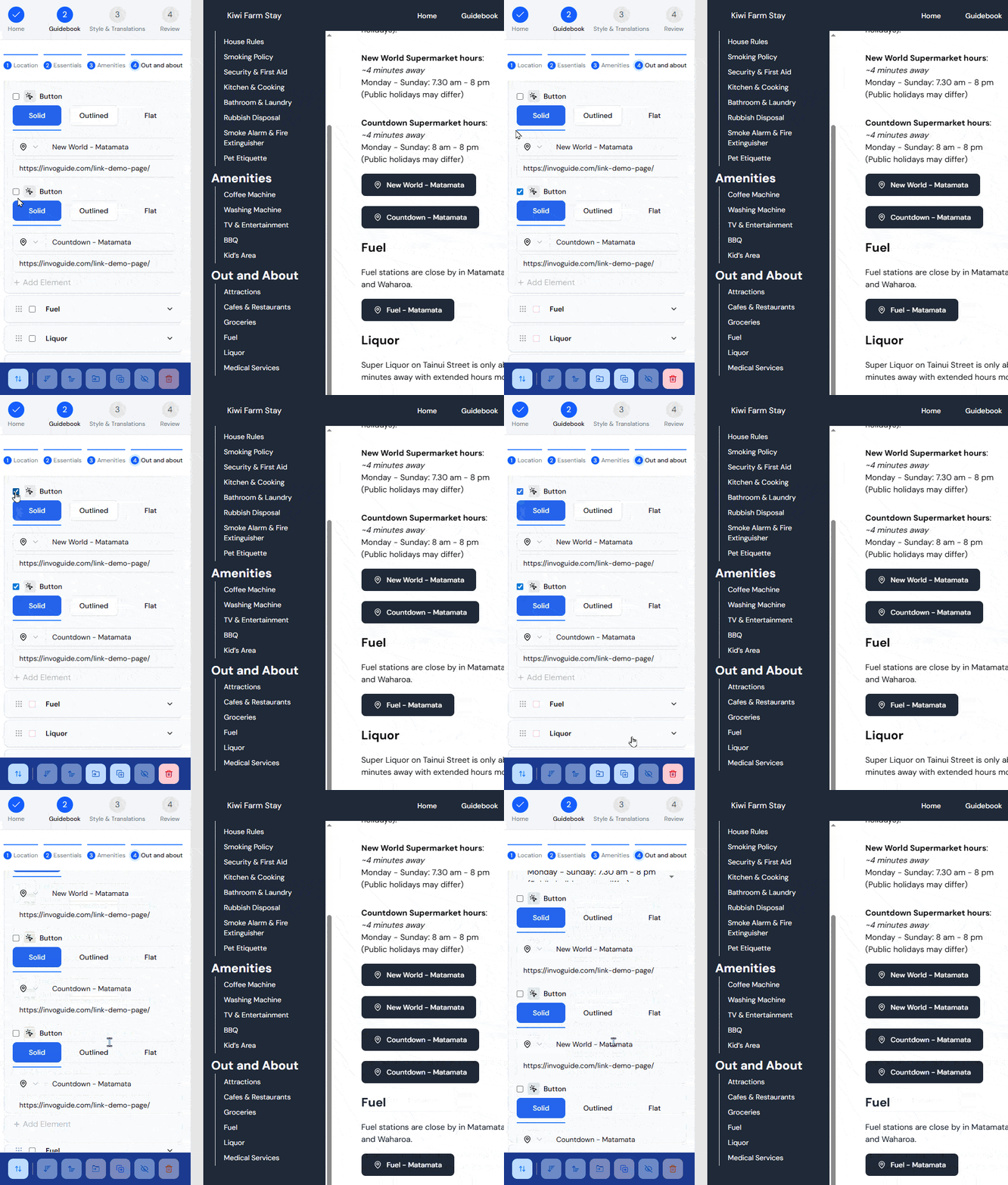
Need to start from an existing layout? You can now duplicate sections and elements in your guidebook.
Pair this with the “Move” feature to manage your guidebook even faster.
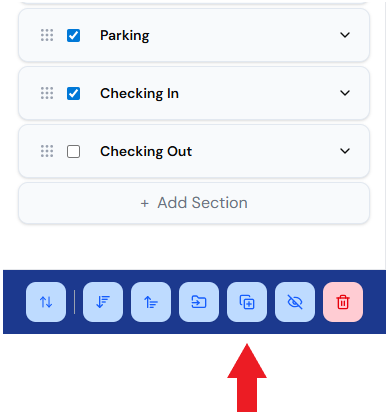
Duplicate sections — Select the sections you want to copy and click the duplicate button in the action bar.
Duplicate elements — Select the elements you want to copy and click the duplicate button in the action bar.
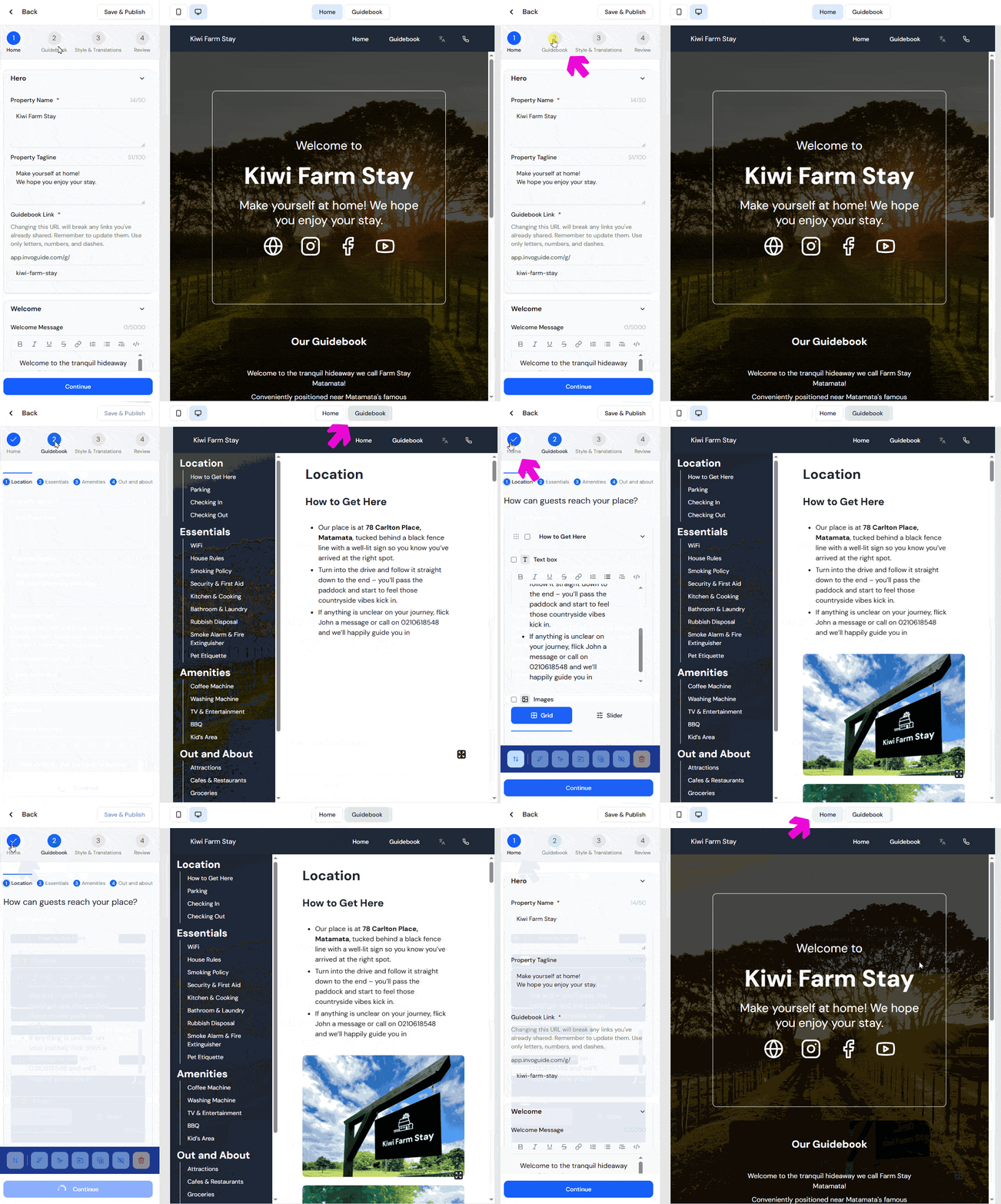
Automatic page switching in preview
Clicking the “Home” or “Guidebook” tabs in the edit flow now automatically updates the preview pane to match. Now you always know exactly which page you’re editing.
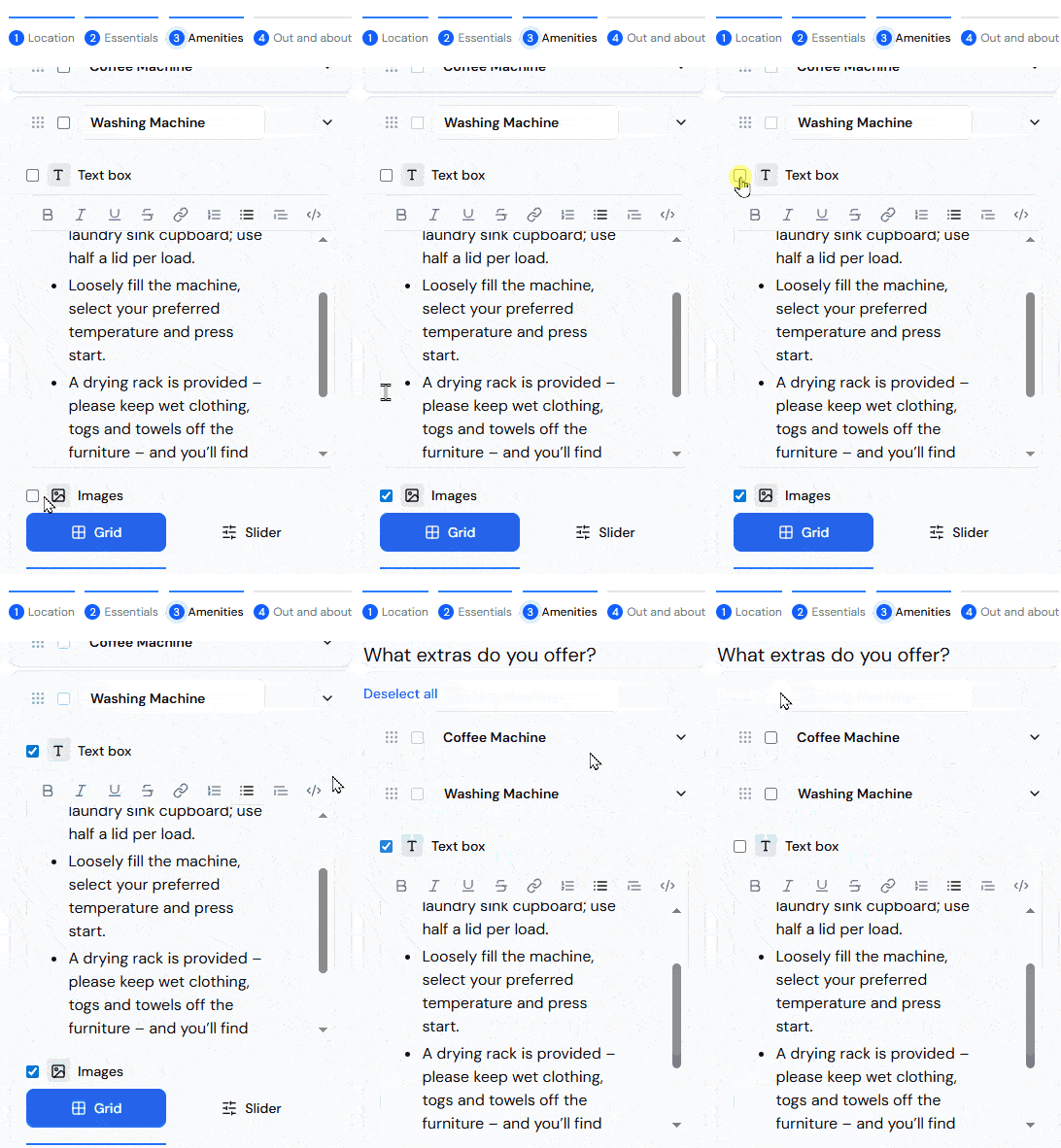
“Deselect all” button
With multiple checkboxes in the edit flow, it’s easy to lose track of what you’ve selected. The deselect button at the top helps you start fresh when needed.
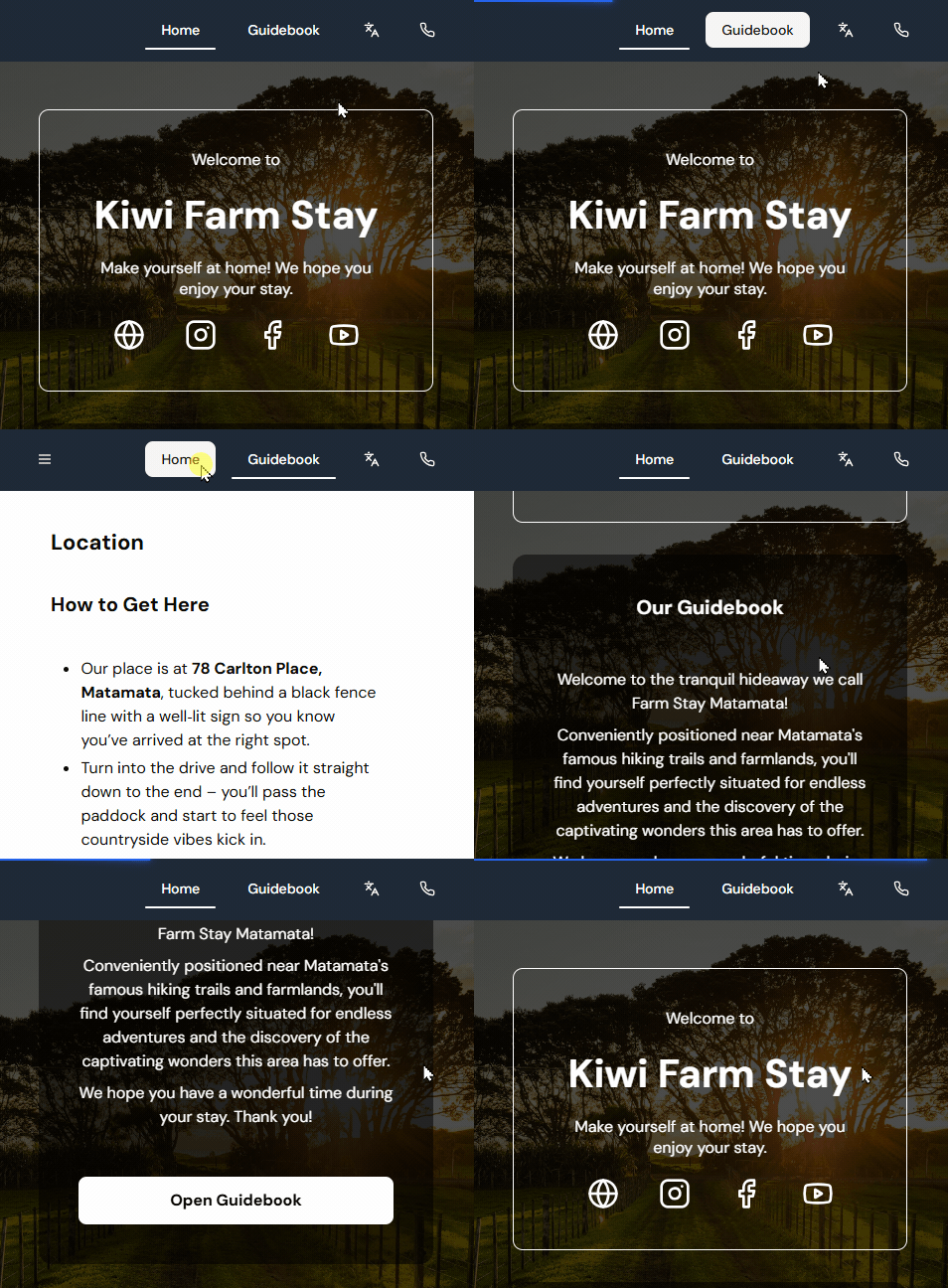
Highlighting the selected tab on published guidebooks
To reassure guests that they’re viewing the exact same guidebook page regardless of which button they clicked, we now show a white underline the selected tab.
Coming Soon
We’re working on several improvements to make InvoGuide even better:
- Improved availability – We’re rebuilding the guidebook infrastructure so that published guidebooks are super lightweight and hosted separately from the editing portal. This means that even in the event of a large-scale technical outage, your guests can still access their guidebooks without interruption.
- Near-instant loading – The lightweight setup also enables caching, so guidebooks will load blazing fast for guests, even on slower connections.
- Shorter URLs – As part of this infrastructure change, guidebooks will move to a new home at https://invo.guide. Your existing links will continue to work, and we’ll be in touch with more details when the time comes.
In case you missed the previous issue
New features we released earlier are
- Move element(s) to another section
- Move section(s) to another group
- Reorder elements within a section
- Reorder sections within a group
Click here to read Issue #3 on our blog
Aaand that’s a wrap!
As always, we’d love to hear from you — get in touch if you’ve got feedback or ideas to share.
Thanks for building with InvoGuide! 💚

Co-Founder & CEO